
S16 2023 (S Series)
I’m sure some will find drawbacks in this line of pocket-sized controllers. I just can’t think of any. I think it’s pretty much perfect.
At A Glance
Pros & Cons:
Pros:
- Compact size that can fit in a large pocket.
- Double-sided artwork customization
- Great aftermarket switches, caps and accessories.
- Slimmer form factor than G16.
- Universally beloved button sizes.
- Two USB-C ports
Cons:
- Size not appropriate for lap play for some, but that’s by design
- Not very good looking out of the box since buttons take too much surface space.
| Item | Description |
|---|---|
Dimensions |
19.6cm X 12.5cm |
Buttons |
16 ( 23.5 mm x 15, 25.8mm x 1 ) |
USB-Ports |
2 x USB-C, 1x USB-A (Passthrough) |
Artwork Friendly |
Yes (Front & Back) |
Material |
Double Sided Acrylic/Plastic |
Switches |
Reds (Old/S13) / Crystals (S16-C) |
Price |
₹4500 (Approx.) |
Variations:
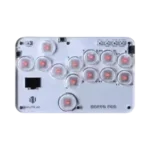
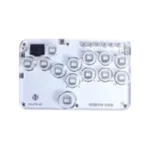
Great Things, Small Packages
At first glance, the S16 feels like a scaled-down T16. The buttons are smaller (23.5mm instead of 25.8mm) and they span almost the entire front surface, leaving very little room for wrist rests.
It’s clear that the goal was to create a controller small enough to slip into a jacket or baggy jeans pocket and easily take to tournaments, or to pack into luggage without worrying about airline baggage limits. In that respect, Haute42 absolutely succeeded.
The Goldilocks Button Size
Given the massive popularity of the T16, I initially expected future Haute42 controllers to follow its design and serve mainly as sidegrades. Instead, user feedback shaped a different direction: the 20.3mm buttons on the G/R series were considered too small, while the 25.8mm buttons on the T-Series were seen as too large.
The S16 struck the perfect balance, and in doing so, became the blueprint for nearly every Haute42 controller that followed. From the M-Lite to the M-Ultra Gen 1 and 2, and later the C-Series, all use button sizes closely matching the S16. You can even overlay top plates from these models onto the S16 and find near 1:1 alignment, aside from overall surface size differences.
Designing Around the Buttons
Because the buttons cover so much of the S16’s surface area, I initially struggled to create artwork that wasn’t mostly hidden. Fortunately, there are a few effective workarounds.
One approach is using smaller, individual art pieces arranged in a medley so key elements peek through between buttons. Another option is using artwork insert button caps, which allow designs to remain visible despite the dense layout.
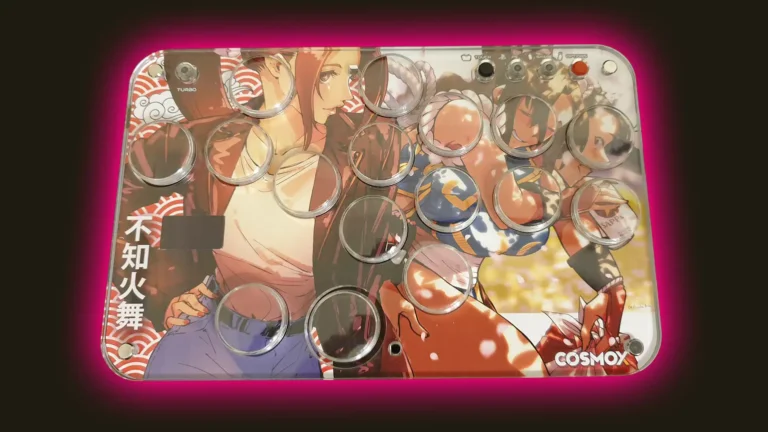
A S16 with art insert button caps from Sitong.
Excellent Aftermarket Support
One of the biggest strengths of the S-Series (and G-Series) is the wealth of aftermarket support. There are numerous 3D-printed attachments available that allow you to expand the controller’s footprint.
I personally use a 3D-printed extender purchased from Etsy that transforms my tiny S16 into a controller roughly the size of a Razer Kitsune. You can even print one yourself using freely available templates.
This means that if you ever decide the S16 is too small, you can scale it up without buying an entirely new controller. For players on a budget, this versatility is a huge plus.
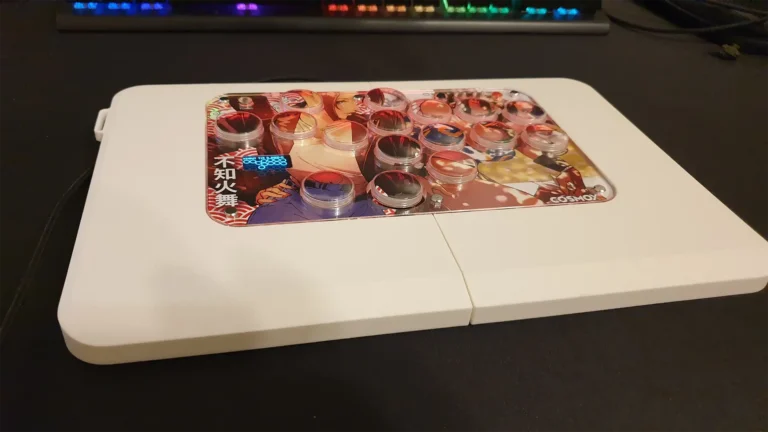
A S16 installed into an extender from PowotatoPrinting.
Yes, It's Nearly Perfect
The S16 shipped with dual USB-C ports from the start, eliminating one of the main weaknesses found in the T and R series. And while it can be expanded with 3D-printed extenders for lap play, doing so arguably defeats its core purpose.
The S16 is meant to be a small, affordable controller for curious players who want to try the leverless experience without committing to a larger, more expensive option. For that role, it’s close to perfect.
If you’re on the fence about going leverless, I strongly recommend starting with the S16.